JS - Strings

Basic Declaration and initialization
const name = "gambit"
const repoCount = 10

console.log('Hello my name is '+name+' and my repo count is '+repoCount);
Output
Hello my name is gambit and my repo count is 10
Pointers:
You can use either double "" or single quotes '' for initializing a sting in JS.
You can use + operator to concat or add string and strings, strings and numbers
Strings are immutable in JS, so if you try to change 'gambit' name using say
name[0] = 'z', it will just silently fail, name will remain intact.
You can also declare strings as an object
const name = new String('gambit');
If we run this on the browsers console we will get a better idea of how it stores
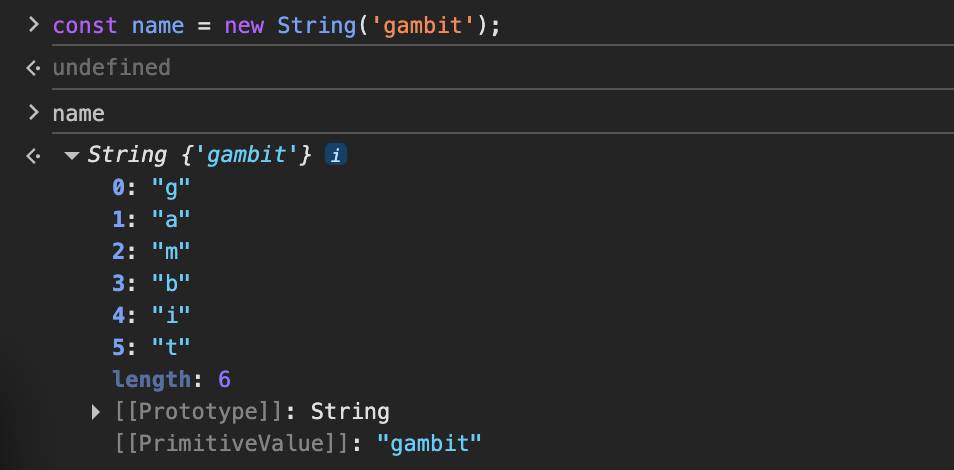
From this we can see string can also be stored as an object (0,1,2 being the keys and the letters being the values) and it also has several methods.
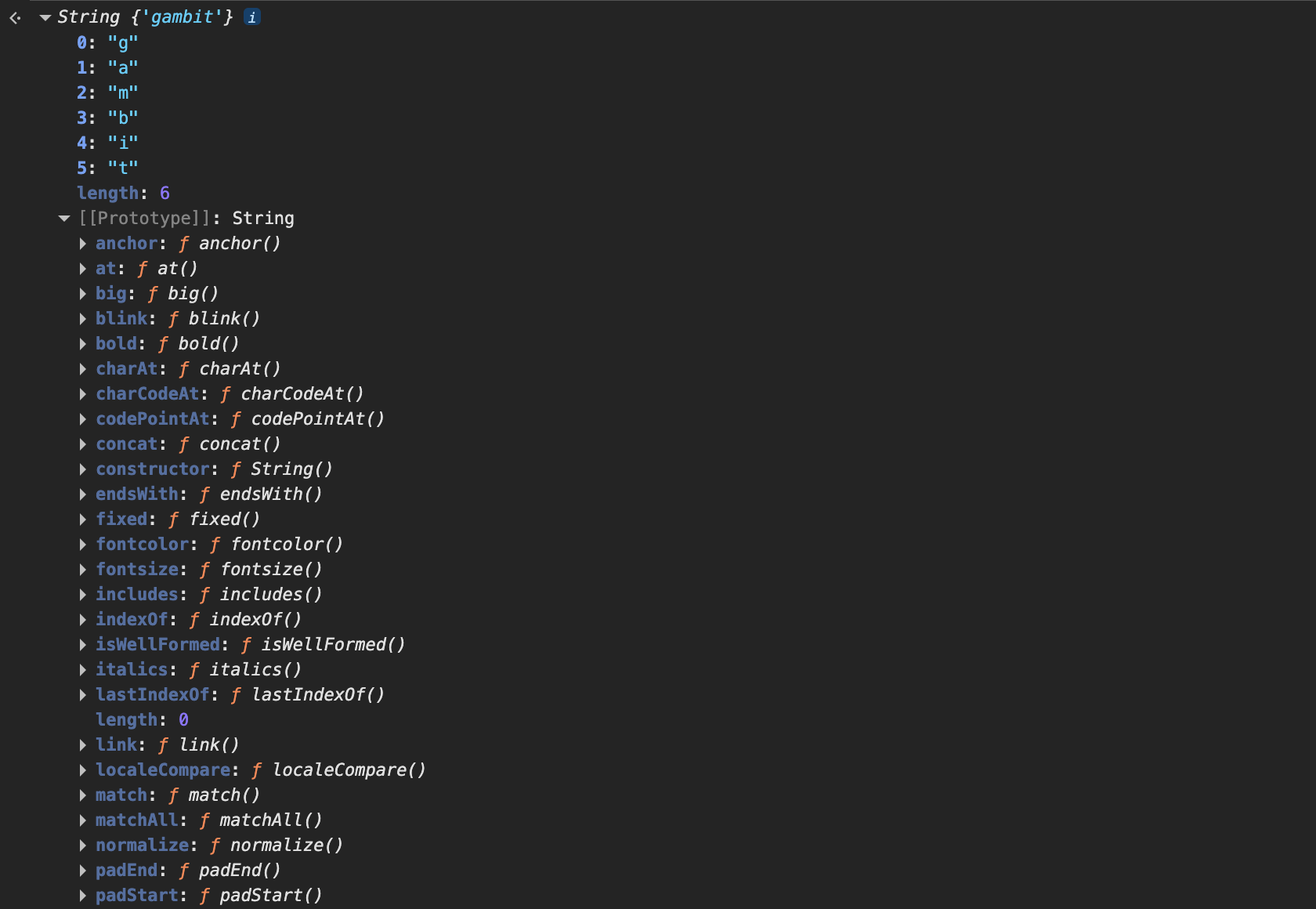
We will go through the most important ones...
String Interpolation
const name = "gambit"
const repoCount = 10

console.log(`Hello my name is \({name} and my repo count is \){repoCount}`);
Gives the same output as above.
We can also put expressions inside the backticks( ` )
const price = 100;
const tax = 0.05;

// Math inside a string
console.log(`Total: ${price * (1 + tax)}`); // "Total: 105"

// Logic (Ternary) inside a string
const items = 5;
console.log(`Cart: ${items > 0 ? items : "Empty"}`); // "Cart: 5"
We can also have multiline strings inside backticks
const list = `
  * White
  * Gray
  * Light Pink
`;
Common Methods
const gameName = 'GodOfWar'

console.log(gameName[2])            // d
console.log(gameName.length)        // 8
console.log(gameName.toUpperCase()) // GODOFWAR
console.log(gameName.toLowerCase()) // godofwar
console.log(gameName.charAt(2))     // d
console.log(gameName.charAt(99))    // returns empty string '' if you go out of bound
console.log(gameName[99])            // undefined

console.log(gameName.indexOf('d'))  // 2
console.log(gameName.indexOf('War')) // 5
console.log(gameName.at(-2))        // a
Pointers:
at() is a modern version of charAt() it can also start from the end using negative integers, -1 being the last character
indexOf() returns the first index where it finds the string mentioned, if not found it returns -1. It can also take a second argument that mentions the starting index to begin search (by default set to 0).
Since strings are immutable all these methods actually return a copy.
const gameName = 'god-of-war'

console.log(gameName.substring(0,3))    // god
console.log(gameName.slice(0,3))        // god
console.log(gameName.slice(-3))         // same as (-3, 10)
console.log("     lmfao             ".trim()) // lmfao
console.log(gameName.replace('war','love'))    // god-of-love
console.log(gameName.includes('of'))    // true
console.log(gameName.split('-'))        // [ 'god', 'of', 'war' ]
console.log('godofwar'.split(''))
// [ 'g', 'o', 'd', 'o', 'f', 'w', 'a', 'r' ]
console.log('42'.padStart(6, '0')) // 000042
Pointers:
substring vs slice: both are extremely similar except, slice allows negative numbers where as substring treats them as 0, in slice if startIndex > endIndex it returns empty string "" on substring it swaps them in such case, slice is more modern and recommended.
Other than trim() there are also trimStart() and trimEnd() to remove spaces only on the beginning and ending respectively.
split() returns an array of strings.
Traversing
for pure traversal of each letter you can use for...of loop or standard for loop using str.length for number of iterations, .at() for individual letters.
You can also convert the string into an array using a
spread operator -> [....str]
Array.from()
Then use array methods or for loop.
To join back and convert the array of letters back into a string you can use .join("") or reduce array method adding all the letters in an empty accumulator.
.match()
Works with regex, learning it is optional you can make do with loops as well.
Example of using it to return an array of the vowels found in it.
const quote = "Aries is a light pink theme.";
const vowels = quote.match(/[aeiouAEIOU]/g);

console.log(vowels);
// Output: ["A", "i", "e", "i", "a", "i", "i", "e", "e"]
/g means search from first to last letter of the string. /gi means ignoring case.
To get consonants we can use ^ which means find all letters except them, /[^aeiou]/gi


